ADVERTISEMENT


The Link to Windows app aims to bridge the gap between your Android phone and Windows PC, making it easier to access everything you love on your mobile device from the comfort of your desktop. This app targets users who seamlessly switch between their phone and PC for work or leisure. Whether you're engaged in business tasks, socializing, or simply managing personal affairs, this app is tailored for those who want a more cohesive digital experience.
By installing the Link to Windows app, users can enjoy instant access to notifications, messages, and calls right from their PC. It effectively eliminates the need for inconvenient processes like emailing yourself photos, allowing for efficient sharing and interaction. 🚀
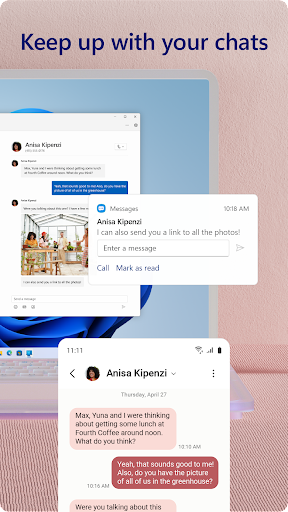
1. Seamless Messaging: With the ability to read and reply to text messages directly from your PC, this feature enhances productivity and ensures you never miss an important message.
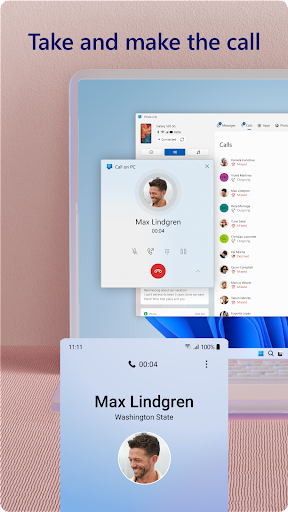
2. Enhanced Calls: Users can make and receive calls using their PC, combining the comfort of a larger device with the convenience of mobile communication. (Note: This feature requires a Windows 10 PC with Bluetooth capability.)
3. Drag and Drop Functionality: The Link to Windows app simplifies file management. You can drag photos and documents directly between your devices without the hassle of syncing or complex apps.
4. App Integration: Access your favorite mobile apps directly on your PC screen. This integration allows you to utilize a larger display, keyboard, and mouse for a more streamlined experience. 🖥️
1. Compatibility Limitations: One area for improvement is the compatibility with a wider range of Android devices. Currently, the app mainly supports Microsoft Duo, Samsung, and HONOR devices, which may exclude potential users with other brands.
2. User Interface Enhancements: Although the app is user-friendly, a more aesthetically pleasing and intuitive design would enhance the user experience and usability.
3. IOS Compatibility: As of now, the Link to Windows app primarily targets Android users. An option for IOS compatibility could significantly broaden its audience, attracting more users who wish to connect their devices. 🔧
Many users have shared positive experiences with the Link to Windows app. Comments often highlight how easy it is to access notifications and respond to texts from their PC, praising the convenience it brings to multitasking. Users appreciate features like drag-and-drop file transfer as it simplifies workflows significantly.
On the flip side, some users have reported issues with connectivity and device compatibility, expressing frustration over not being able to utilize certain features with their non-supported devices. However, the positive feedback outweighs the negative, as most users agree that the Link to Windows app is a free and secure solution for integrating phone and PC functionalities. 🌟